HFL Files
Note: During the masking process, HFL files are automatically converted to XML, allowing users to leverage the full XML masking capabilities for HFL data. After masking, the XML is automatically converted back into a masked HFL file, ensuring a seamless end-to-end process.
DATPROF Runtime supports masking data in Hierarchical Fixed Length (HFL) files from Runtime version 4.17.
These files are structured flat files that contain multiple record types (for example, header, detail, and footer records) organized in a hierarchical relationship.
HFL files are common in the EI and Vektis data exchange standards used in the Dutch healthcare and insurance sectors. Each record type within an HFL file has a fixed-length layout, meaning that every field starts and ends at a specific position on the line.
A corresponding HFL specification file describes the record structure, field names, data types, and field lengths. This allows Runtime to interpret and mask the file correctly while maintaining its original format and hierarchy.
The EI standards (Externe Integratie standards, or External Integration standards) are data exchange agreements defined by Vektis for the Dutch healthcare sector.
They specify how organizations, such as healthcare providers and insurers, exchange information electronically in a standardized and reliable way.
EI standards define:
The structure of data files (for example, Hierarchical Fixed-Length files)
The relationships between records (e.g., header -> client -> address -> footer)
The start positions, lengths, and data types of each field
These conventions ensure consistent and accurate data exchange across all systems using the same format.
Creating an Application
To configure an application, click the "Install Application" button. This will open a new page where you can either select an existing application or create one from scratch. Assuming this is your first file masking application, click the "Create a New Application" button to open the configuration page:
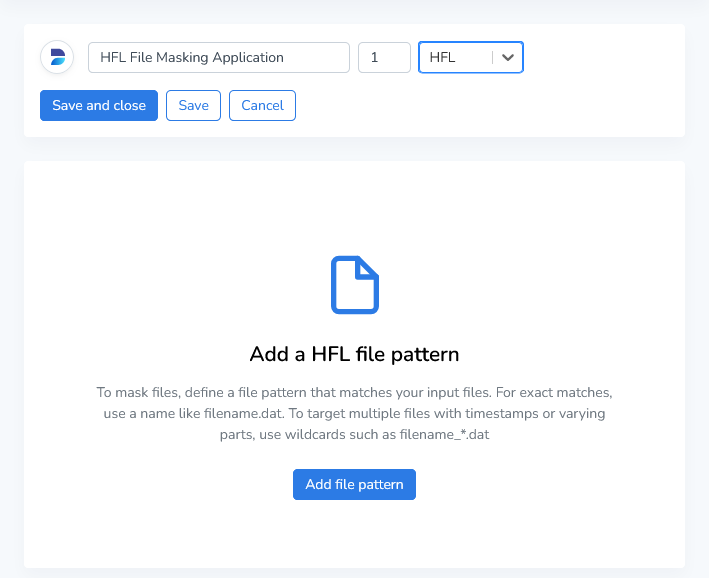
Enter a name and version number, then select HFL as the type. Once the basic information is provided, click “Add file pattern” to continue configuring your application.
File Pattern
The file pattern is used to specify which files should be masked by the application. This pattern tells Runtime how to locate the target files in the file system or data source.
Enter a descriptive name for this pattern and define a file pattern. You can use the following approaches when defining your pattern:
Exact file names: Use the full file name if it’s always the same.
Example: AW319-HFL.ASC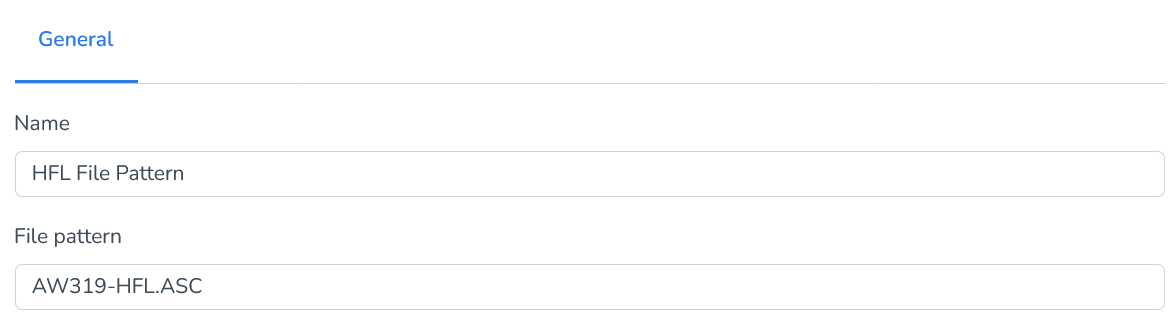
Wildcard patterns: Use wildcards to match files with dynamic elements, such as timestamps, sequence numbers, or environment identifiers.
Example: AW*.ASC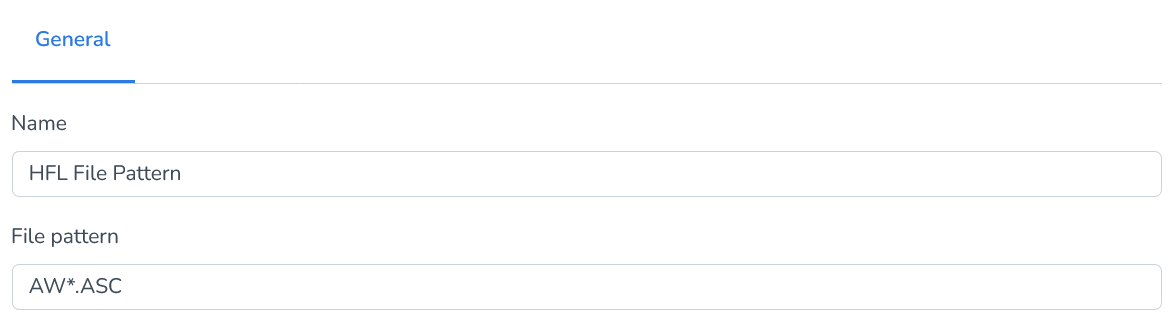
Wildcards allow flexibility in identifying files without needing to update the application for every filename change.

Tip: Ensure your pattern is specific enough to avoid unintentionally matching unrelated files, especially in directories containing multiple file types or data sources.
HFL Specification
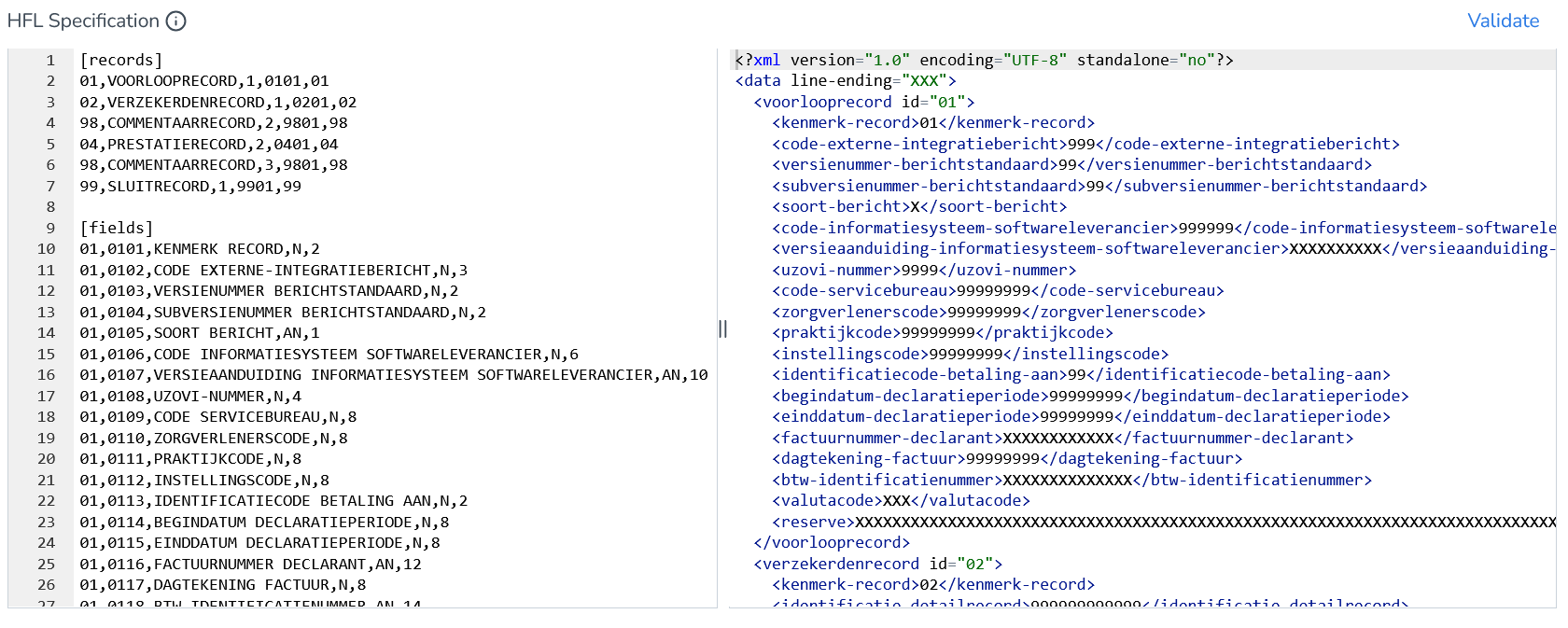
Runtime uses an HFL specification file to describe each record type and its fields (start position, length, data type, and hierarchy).
The HFL specification describes how each line in the file(s) should be interpreted, for example:
Which record type it is (01, 02, 04, 98, 99, etc.)
What fields exist within that record
How long each field is
How records relate hierarchically (parent-child structure)
We’ll be using a file named AW319-HFL.ASC for this demo. This file contains the following data:
014280104T000000 020100000000000000000000000054540051042013020120130228Factnr20130220130301 EUR 020000000000014000005200201 1992110421Haar 0 A 02312GG 00000 NL 20000 040000000000024000005200201 10000 000000000000000000000002013020120130212065Z978 001314545400510000000000000000000000001000000130000D000000130000D01 040000000000034000005200201 10000 000000000000000000000002013020120130212065Z959 001304545400510000000000000000000000000150000019500D000000019500D02 040000000000044000005200201 10000 000000000000000000000002013020120130212065H900 001316545400510000000000000000000000000500000065000D000000065000D03 020000000000054000113800201 1963100811Smid 0 C 01019GG 00000 NL 20000 040000000000064000113800201 10000 000000000000000000000002013021420130228065H900 001516545400510000000000000000000000000500000075000D000000075000D04 980000000000060001commentaar op prestatierecord nummer 6 99000002000000000004000001000000700000289500D
Records
The [records] section of an HFL specification defines the hierarchical structure of the file.
Each record type in the file is represented by a unique line in this section, describing the record’s id, name, hierarchy level, internal key, and line ending marker.
Example:
[records]01,VOORLOOPRECORD,1,0101,0102,VERZEKERDENRECORD,1,0201,0298,COMMENTAARRECORD,2,9801,9804,PRESTATIERECORD,2,0401,0498,COMMENTAARRECORD,3,9801,9899,SLUITRECORD,1,9901,99
Each column in this section has a specific purpose:
Column | Description |
|---|---|
Record ID | The unique two character code that identifies the record type within the file (e.g., 01, 02, 04, 99). |
Record Name | A descriptive label for the record (e.g., VOORLOOPRECORD, VERZEKERDENRECORD). |
Hierarchy Level | Defines the position of this record in the hierarchical structure. A lower number (e.g., 1) indicates a higher-level or parent record, while a higher number (e.g., 2 or 3) represents a child record. |
Internal Record Key | The unique key used to link this record definition to its field definitions in the [fields] section (e.g., 0101 -> [fields] lines starting with 01,0101,...). |
Line Ending Marker | Value defines a line termination or grouping code, typically matching the record ID. |
For example, this record definition:
01,VOORLOOPRECORD,1,0101,01
Means:
Part | Description |
|---|---|
01 | The Record ID, which identifies this record type in the HFL file. Every line in the [fields] section that starts with 01 belongs to this record type. |
VOORLOOPRECORD | The Record Name, a descriptive label for this record type. |
1 | The Hierarchy Level, which defines the record’s position in the data structure. A lower number (e.g., 1) indicates a higher-level or parent record. |
0101 | The Internal Record Key, which links this record to the corresponding field definitions in the [fields] section. All fields that begin with 0101 (for example, 01,0101,KENMERK RECORD,N,2) belong to this record. |
01 | The Line Ending Marker or grouping code, often matching the record ID. |
Fields
The [fields] section of an HFL specification defines the layout of every record type listed in the [records] section.
Each line describes one field within a record, including its unique identifier, name, data type, and fixed length size.
Example:
[fields]01,0101,KENMERK RECORD,N,201,0102,CODE EXTERNE-INTEGRATIEBERICHT,N,301,0103,VERSIENUMMER BERICHTSTANDAARD,N,2...99,9980,RESERVE,AN,265
Each column in this section has a specific meaning:
Column | Description |
|---|---|
Record ID | Links this field to the record definition from the [records] section (e.g., 01 -> VOORLOOPRECORD). |
Field ID | A unique identifier that combines the record and field numbers (e.g., 0101, 0203). This connects the field to the internal record key used in the [records] section. |
Field Name | The descriptive name of the field, which becomes the XML element name after conversion. Note: Spaces and special characters are automatically replaced by hyphens. |
Data Type | Defines the type of data contained in the field:
|
Length | The number of characters the field occupies in the file. Because HFL files are fixed length, each field’s position and size are critical for accurate parsing. |
For example, this field definition:
02,0203,BURGERSERVICENUMMER (BSN) VERZEKERDE,N,9
Means:
Part | Description |
|---|---|
02 | The record type this field belongs to (02 = VERZEKERDENRECORD). |
0203 | The field ID, combining the record code (02) with the field’s unique sequence number (03). This ensures the field is uniquely identified and correctly associated with record type 02. |
BURGERSERVICENUMMER (BSN) VERZEKERDE | The field name that describes the data content. This name becomes the XML element label during conversion. |
N | The data type: numeric. |
9 | The fixed field length. This field occupies 9 characters in the record. |
By combining the [records] and [fields] definitions, Runtime can precisely interpret, mask, and reconstruct HFL files, while fully preserving their structure and format.
Context Element
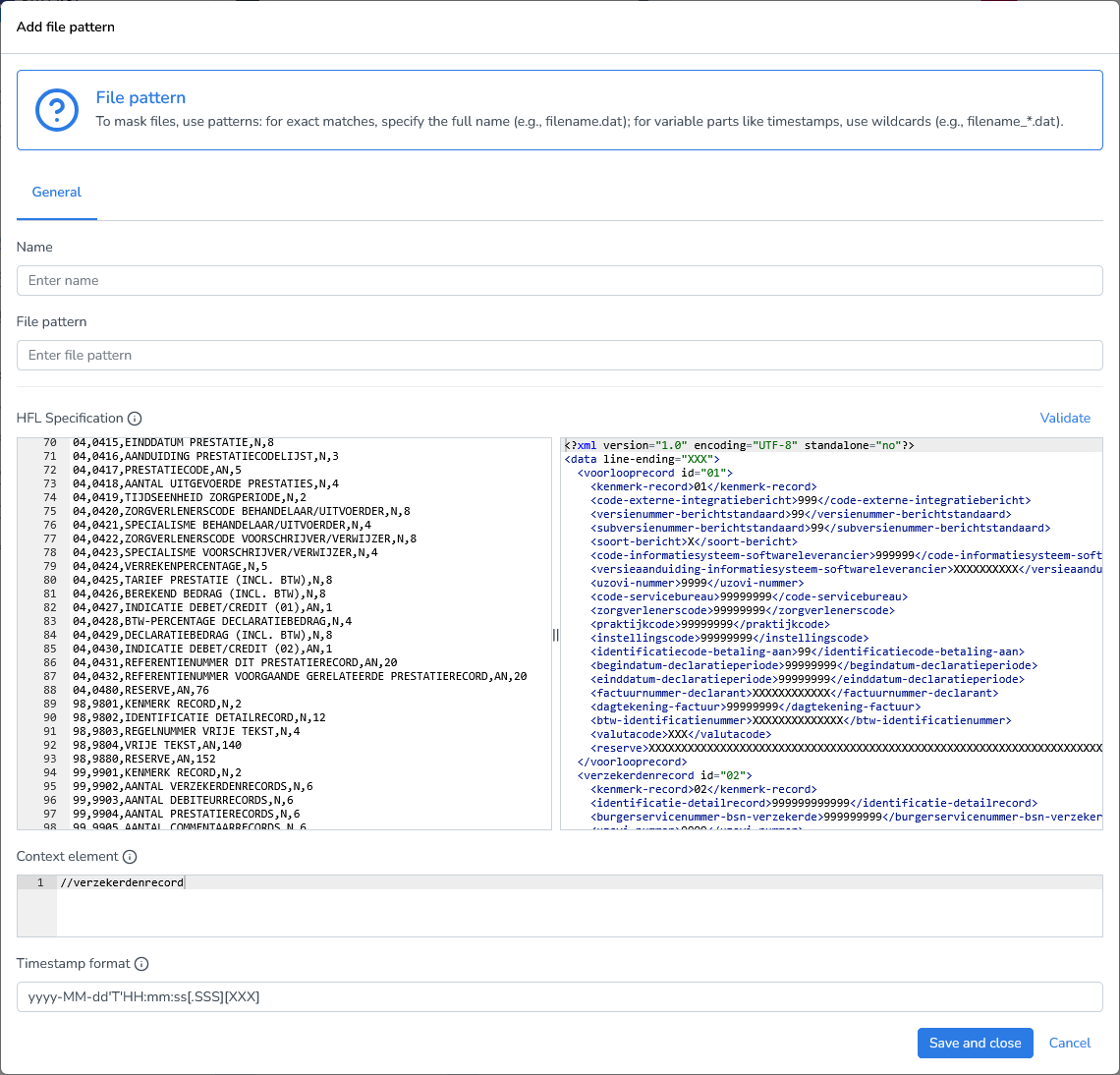
Before masking, you must specify a context element. In XML, there is no concept of rows like in databases or CSV files. To process each logical record individually, you define a context element using an XPath expression.
The context element tells DATPROF Runtime which XML node should be treated as a single logical record during masking.
Example:
//verzekerdenrecord
Timestamp Format
Specifies the format used to parse timestamp strings when applying datetime masking functions.
Default format:yyyy-MM-dd'T'HH:mm:ss[.SSS][XXX]
The default pattern supports:
Optional milliseconds (.SSS)
Optional time zone offset (XXX)
Use this setting to ensure timestamps are interpreted correctly during masking operations.
Filled in File Pattern:
Adding Masking Functions
Note: During the masking process, HFL files are automatically converted to XML, allowing users to leverage the full XML masking capabilities for HFL data.
See the XML Files documentation for guidance.
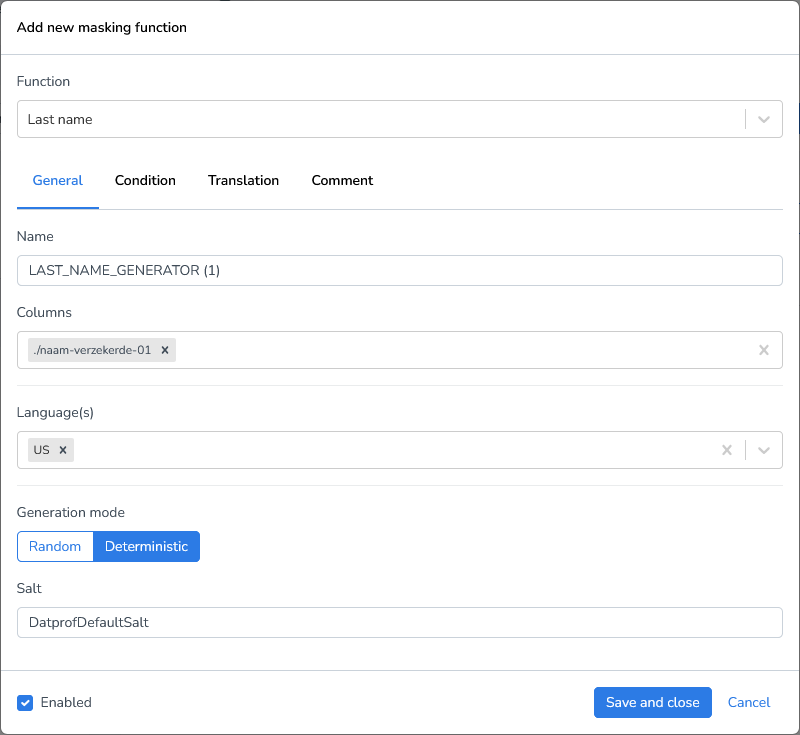
Let’s start with a simple case; we’ll replace the last names of our sample file.
Click Add Masking Function.
Select the function Last name generator.
Define the column by using an XPath expression to target the element:
./naam-verzekerde-01